The Ultimate 2026 Guide: How to Stop ISP Throttling and Fix IPTV Buffering in 5 Steps
Constant IPTV buffering during live sports? Your ISP may be throttling you. The exact 5-step fix for crystal-clear, buffer-free streams in 2026.
The Frustration of IPTV Buffering in 2026
Imagine this: You have waited all week for the biggest Premier League match of the season. You have your snacks ready, your friends are over, and the game is about to start. The referee blows the whistle, the striker makes a run toward the goal, he shoots, and suddenly—the screen freezes. The dreaded buffering icon appears. By the time the stream catches up, you hear your neighbors cheering. You missed the goal.
If this sounds familiar, you are not alone. In 2026, IPTV buffering remains the most universally despised issue among cord-cutters. You pay for high-speed internet, perhaps gigabit speeds, yet your stream stutters and lags exactly when it matters most. You run a speed test and it shows 500 Mbps, leaving you completely baffled as to why a simple 1080p or 4K broadcast refuses to play smoothly.
The immediate reaction for most users is to blame their IPTV provider. While it is true that low-quality, cheap providers often oversell their server capacity (leading to endless buffering), there is another, far more insidious culprit at play: Internet Service Provider (ISP) Throttling.
ISPs are not just passively supplying you with an internet connection. They are actively monitoring, analyzing, and sometimes manipulating the type of data flowing into your home. In this comprehensive, 1800+ word ultimate guide, we are going to expose exactly what ISP throttling is, how telecom companies use it against you, and provide a definitive 5-step process to stop it permanently. We will also cover advanced device optimizations to ensure you achieve the holy grail of streaming: a true, zero-buffering experience.
Section 1: What is ISP Throttling and Why Is It Targeting Your IPTV?
To understand how to defeat the enemy, you must first understand how they operate. ISP throttling is the intentional, targeted slowing down of your internet speed by your broadband provider. But why would telecom giants like Comcast, AT&T, BT, Sky, Bell, or Rogers intentionally cripple the service you pay them for?
The Mechanics of Deep Packet Inspection (DPI)
Modern ISPs employ sophisticated network monitoring software known as Deep Packet Inspection (DPI). When data travels from a server to your television, it is broken down into "packets." DPI allows your ISP to look inside the metadata of these packets to determine exactly what kind of traffic it is. They can easily distinguish between someone reading an email, someone playing a video game, and someone streaming high-bandwidth live video.
The Financial Motivation
ISPs operate under a business model where bandwidth is money. Live video streaming (especially 4K IPTV during a major live event like the Super Bowl or a UFC Pay-Per-View) consumes massive amounts of bandwidth. If millions of people in a city stream an event simultaneously, it puts immense strain on the ISP's local infrastructure.
Instead of spending millions of dollars upgrading their local nodes to handle peak capacity, ISPs choose the cheaper, anti-consumer route: they program their network to automatically throttle (slow down) known streaming traffic during peak hours (usually between 7:00 PM and 11:00 PM). By limiting your streaming bandwidth to 5 Mbps (even if you pay for 500 Mbps), they save themselves money at the expense of your viewing experience.
Furthermore, many ISPs (like Comcast or Sky) also sell their own cable TV packages. By crippling your IPTV connection and making it unwatchable, they subtly try to force you out of cord-cutting and back into their expensive, traditional cable TV bundles. This is exactly why we engineered our USA-Optimized IPTV infrastructure to inherently bypass ISP Deep Packet Inspection.
Section 2: How to Test if You Are a Victim of ISP Throttling
Before we deploy the countermeasures, you need to diagnose the problem. How can you definitively prove that your ISP is throttling your IPTV stream, rather than it being a hardware issue or a bad server?
The "Speedtest vs. Fast.com" Discrepancy Test
The easiest way to catch your ISP red-handed is by comparing two different types of speed tests during the exact moment your IPTV starts buffering (usually in the evening).
Now that we know the enemy's tactics, it is time to fight back. Here is the definitive 5-step process to secure a flawless streaming setup.
Section 3: The 5-Step Process to Stop ISP Throttling Permanently
Step 1: Deploy a Streaming-Optimized Premium VPN
This is the single most important step in the entire guide. The only way to defeat Deep Packet Inspection is through robust encryption. A Virtual Private Network (VPN) wraps all of your internet data in an impenetrable, encrypted tunnel before it leaves your home.
When you use a VPN, your ISP can no longer see what you are doing. They cannot tell if you are streaming 4K IPTV, downloading files, or just reading the news. All they see is scrambled data going to a random server. Because they cannot identify the traffic as "video streaming," their automated throttling algorithms are never triggered.
Crucial VPN Tips for IPTV in 2026:
Step 2: Overhaul Your DNS Settings
Your Domain Name System (DNS) is like the phonebook of the internet. By default, you use your ISP's DNS servers. This is terrible for two reasons: First, it allows your ISP to log every single server your IPTV app tries to connect to. Second, ISP DNS servers are notoriously slow and prone to routing errors, resulting in connection timeouts and sudden stream freezes.
Changing your DNS to a high-speed, privacy-focused alternative can significantly reduce initial load times and prevent "Channel Not Loading" errors.
How to Change DNS on Your Router or Device:
We highly recommend switching to Cloudflare (1.1.1.1) or Google DNS (8.8.8.8).
This simple network tweak, which takes less than 60 seconds on any Firestick, Apple TV, or NVIDIA Shield connection settings page, bypasses standard ISP-level website blocks and immediately improves data routing efficiency.
Step 3: Hardwire Your Connection (Kill the WiFi Latency)
We live in a wireless world, but when it comes to live broadcasting, WiFi is your worst enemy. Live IPTV requires a constant, unbroken stream of data. Even a micro-interruption in your WiFi signal—caused by a microwave, a thick wall, or your neighbor's router operating on the same channel—will result in packet loss and instant buffering.
The Ethernet Rule:
If your streaming device is within 30 feet of your router, you must run an Ethernet cable. A wired connection guarantees identical bandwidth delivery 100% of the time, cutting your latency in half compared to standard WiFi 5 or WiFi 6.
If you simply cannot run a wire:
Invest in a Powerline Ethernet Adapter. This technology uses the existing electrical wiring in your walls to transmit internet data from your router to your TV room. It provides the stability of a hardwired connection without stringing ugly cables across your baseboards.
Step 4: Master Your IPTV Player’s Buffer Settings
Sometimes, the throttling isn't coming from your ISP; it is a limitation of your player's internal memory management. When a stream drops packets due to network instability, your app needs time to catch up. This is what the "Buffer Size" setting dictates.
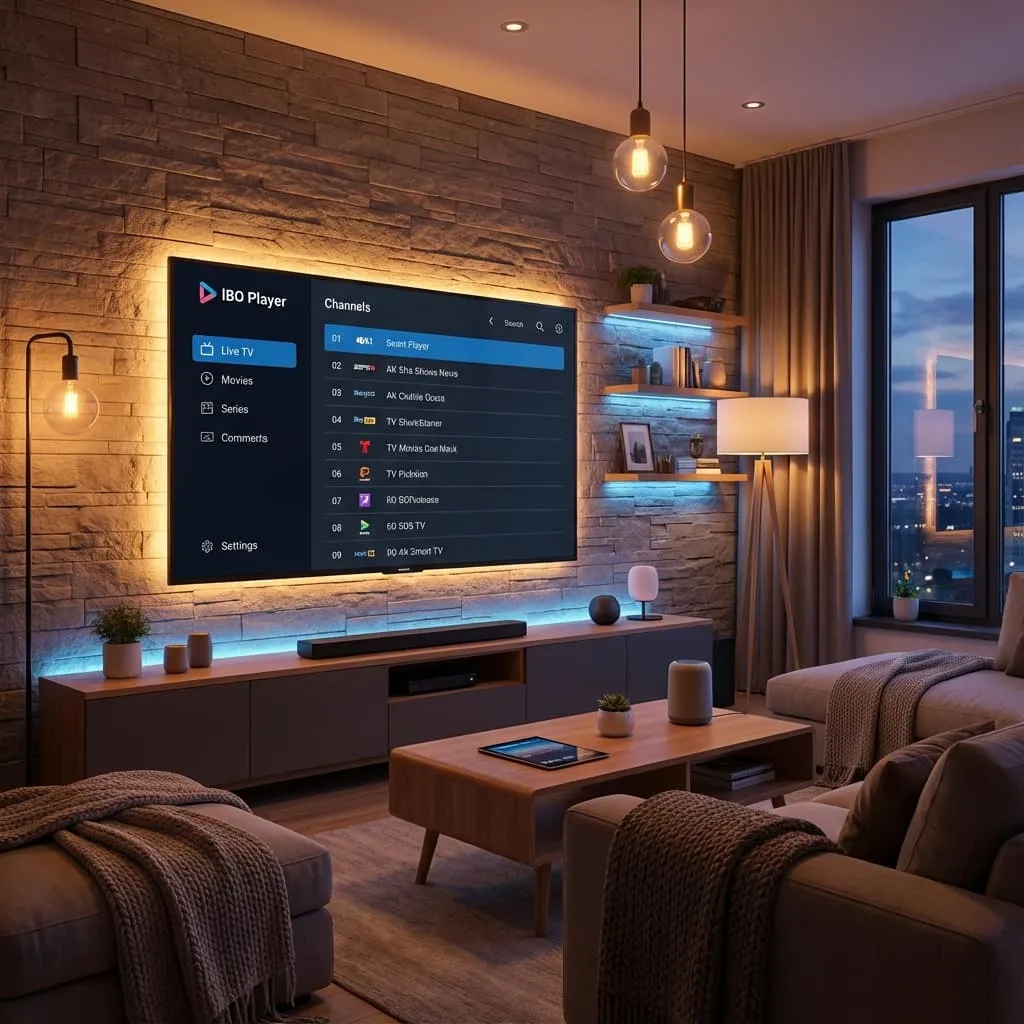
If you are using premium apps like TiviMate, IBO Player Pro, or IPTV Smarters Pro, you need to optimize this setting based on your specific issue.
Step 5: Retire Outdated Hardware
The harsh reality of 2026 is that a standard TV app or a 5-year old Amazon Firestick simply does not have the processing power or RAM required to decode modern 4K IPTV streams while simultaneously handling an encrypted VPN tunnel.
IPTV playlists now encompass over 20,000 channels, 100,000 movies, and a massive XMLTV Electronic Program Guide (EPG). When an outdated processor tries to load this massive database, it overheats, thermal throttles, and intentionally drops video frames to keep the device from crashing.
The Hardware Hierarchy for 2026:
If you want to absolutely obliterate device-side buffering, upgrade your device.
Section 4: The Hidden Culprit - The Danger of Cheap, Low-Quality IPTV Providers
You can deploy the best VPN in the world, use an NVIDIA Shield, and have a gigabit Ethernet connection, but if the source server is garbage, your stream is going to buffer.
As the IPTV market has exploded in popularity, it has attracted thousands of "resellers" operating out of basements using cheap, overloaded servers. These are the providers charging $2 or $3 a month. They entice buyers with rock-bottom prices, but the business model relies on heavily overselling server capacity.
When you connect to these cheap servers on a Tuesday afternoon, things might seem fine. But when Saturday afternoon arrives and 50,000 people attempt to watch the same Premier League match, their budget servers immediately hit 100% CPU capacity. The server physically cannot send the video packets to everyone fast enough. The result is total system failure: buffering, freezing, looping video, and "Error 404" messages.
This is why investing in a premium provider is absolutely critical for a stress-free entertainment experience.
Section 5: The ZeroBuffering Architecture Difference
At ZeroBuffering, our very name is our mission statement. We went to the drawing board to build a service that physically resists buffering at an infrastructural level. While other providers rent cheap, centralized servers, we have deployed a multi-million dollar global Content Delivery Network (CDN).
How We Keep Your Screen Moving:
Taking Back Your Television
You pay good money to your Internet Service Provider. You deserve to use your bandwidth exactly how you see fit, without artificial bottlenecks or corporate interference. By executing the 5 steps outlined in this guide—implementing a fast WireGuard VPN, shifting your DNS, hardwiring your connection, optimizing your player settings, and upgrading your hardware—you seize total control over your digital experience.
But the final piece of the puzzle relies entirely on the quality of your source. If you are tired of switching providers every three months because the service deteriorates, it is time to elevate your setup.
Stop settling for slideshows during the biggest moments in sports. Stop letting your ISP decide what you can and cannot stream. Experience television the way it was meant to be seen: instantaneous, crystal-clear, and completely free of interruptions.
Ready to see the difference for yourself?
Click here to explore Premium ZeroBuffering Plans and claim your buffer-free experience today!
Stop Buffering Forever
Enter your email to receive our Anti-Throttle Ultimate Checklist and a secret discount code for ZeroBuffering.
![How to Fix IPTV Buffering: Firestick & Smart TV [2026 Guide]](/_next/image?url=%2Fimages%2Fblog%2Fiptv-buffering-fix-2026.png&w=3840&q=80)